
Fortune Mouse Game Mechanics on joinbola
Fortune Mouse is a multiplier-based slot game where we display a grid of symbols and you select tiles to reveal multipliers. Each round, we generate a random outcome — your task is to pick tiles before the round ends. If you uncover a bomb or trigger the game's end condition, your round concludes and we calculate your payout based on the multipliers you revealed.
On joinbola, we run Fortune Mouse with adjustable bet sizes. You set your stake before each round, and we multiply your bet by the highest multiplier you reach. The game's volatility is medium-to-high — some rounds pay small amounts, others deliver larger wins. We do not guarantee any outcome; each spin is independent and random.
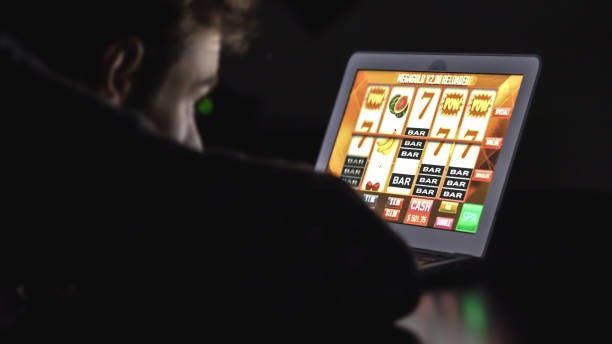
How to Play Fortune Mouse on joinbola
Set your bet amount in the stake field. We display the current multiplier range and your potential payout. Tap tiles one by one to reveal multipliers. Each tile you uncover increases your win total. If you hit a bomb or the game's end trigger, your round stops and we credit your account with your final multiplier × your stake.
You can cash out at any point during a round — we pay you the multiplier you've reached so far. This feature lets you lock in a win before the round ends, reducing your risk of losing the round to a bomb.
Mobile Installation and Account Access
We offer Fortune Mouse on joinbola through two mobile paths: Android APK download and iOS browser access. Both methods sync to the same account, so your balance and history are identical whether you play on your phone or tablet.
-
1
Android: Download joinbola APKSetup
Visit joinbola.app on your Android device. Tap the app download link and follow the on-screen prompts. We guide you through enabling installation from unknown sources (a one-time Android security setting). Once installed, open the app and log in with your joinbola credentials.
-
2
iOS: Open joinbola in Safari or ChromeSetup
On iPhone or iPad, open Safari, Chrome, or your preferred browser. Navigate to joinbola.app, log in, and bookmark the page for quick access. We optimize our site for iOS browsers, so you get the same experience as our Android app users without needing an App Store download.
-
3
Enable Push NotificationsPreferences
After logging in, visit your account settings and enable push notifications. We send alerts about game results, deposit confirmations, and promotional updates. You can customize which notifications you receive or disable them entirely.
-
4
Verify Your AccountSecurity
We require identity verification (KYC) before your first withdrawal. Upload a photo ID and proof of address. Our team reviews submissions within standard business hours. Once verified, you can deposit and withdraw without further delays.

Deposits, Withdrawals, and Payment Methods
We accept deposits and withdrawals through multiple Indonesian payment channels. On joinbola, you can fund your account via DANA, e-wallet, mobile banking, local payment, online payment, e-wallet, and bank virtual accounts (mobile banking, local payment, online payment, e-wallet). Each method has its own processing window and verification requirements.
- mobile banking
- We link your local payment wallet to your joinbola account. Deposits are instant; withdrawals process within standard business hours and are credited back to your online payment wallet.
- e-wallet & mobile banking
- We support both e-wallets. Bind your account in our payment settings, then deposit or request a withdrawal. Processing times vary by provider but typically complete within hours.
- Bank VA
- We generate a unique virtual account number for your joinbola account. Transfer funds from your bank (local payment, online payment, e-wallet, mobile banking) to this VA. Deposits credit automatically; withdrawals return to your registered bank account.
- local payment & online payment
- We accept both services for deposits. Withdrawals may be limited depending on your account status and verification level.
All deposits and withdrawals on joinbola are subject to verification. We may request additional documentation if a transaction appears unusual or if your account is new. Our support team can clarify any delays or questions about your payment status.
Data Usage and Offline Features
We optimize Fortune Mouse and all joinbola games for low data consumption. On a standard 4G connection, a one-hour gaming session uses roughly 50–100 MB. Our streaming is adaptive — if your connection slows, we reduce video quality automatically to keep gameplay smooth.
Our joinbola app caches your account summary, recent transactions, and game history. If you lose connection e-walletefly, you can still view your balance and past results. Once you reconnect, we sync any new activity. Live games (like our sportsbook odds or live-dealer tables) require an active connection, but single-player games like Fortune Mouse continue if your connection drops momentarily.
Fortune Mouse Alongside joinbola Sportsbook
Fortune Mouse is one of many games on our joinbola platform. We also host a full sportsbook covering Liga 1, Piala AFF, Piala Indonesia, MotoGP, and international football leagues. Our live-dealer section features blackjack, roulette, baccarat, and Dragon Tiger tables. Esports markets include Mobile Legends, Free Fire, and PUBG Mobile tournaments.
Your joinbola account balance applies across all games. If you deposit our welcome offer via mobile banking, you can split that between Fortune Mouse, a Liga 1 match, and a live-dealer table. We track your balance in real time, and all transactions appear in your account history with timestamps and payment method details.
On joinbola, we keep your account secure, your data private, and your gameplay smooth across all devices. Whether you're in Jakarta, Surabaya, Bandung, or Medan, our platform works the same way.